Welcome to ModzBott Docs
Learn how to set up, use, and manage ModzBott.
Still need help? Join the support server here.
Useful Links
Features
Current ModzBott features:
- Server logging
- Welcome and leave messages
- Moderation commands
- Web dashboard
Frequently Asked Questions (FAQs)
The bot is offline, what do I do?
Please do not open a support ticket right away. The developers may already be updating the bot. You can also check if ModzBott Experimental is online, since updates are tested there first.
Why am I unable to unlock a channel after locking it down?
You may have manage roles, but your role still needs permission to send messages in that channel. Set "send messages" to ✅.
How do I add new lines on DMs, join or leave messages using commands?
Use \n where you want a line break. Example:
Welcome to the server!\nWe hope you have a great time!Will return:Welcome to the server!
We hope you have a great time!
Channels
Logging Channels
/logging channel set <#channel> <event> sets the channel for server logs like message deletes, name changes, role changes, and more. See logging.
Join / Leave Channels
/greetings channel <event> <channel> sets the channel for join and leave messages. See greetings.
Configuration
Server Logging
You can configure the server logging settings either by using the dashboard or by using commands.
Supported event types:
| Event | Description |
|---|---|
ban |
Logs member bans from the server. |
kick |
Logs member kicks from the server. |
timeout |
Logs member timeouts / mutes. |
role_change |
Logs role assignment / removals. |
nickname_change |
Logs member nickname changes. |
message_delete |
Logs deleted messages. |
message_edit |
Logs edited messages. |
channel_purge |
Logs mass message deletions. |
channel_create |
Logs all channel creations. |
channel_delete |
Logs all channel deletions. |
channel_perm_update |
Logs updates to channel permissions. |
channel_update |
Logs updates to channel names, category changes. |
category_create |
Logs all category creations. |
category_delete |
Logs all category deletions. |
category_update |
Logs all category name changes. |
message_pin |
Logs new pinned messages. |
message_unpin |
Logs messages that are unpinned. |
thread_create |
Logs all thread creations |
thread_update |
Logs all thread updates |
thread_delete |
Logs all thread deletions |
role_create |
Logs all role creations. |
role_delete |
Logs all role deletions. |
role_update |
Logs all role updates (color change, name change). |
role_perm_update |
Logs all role permission updates. |
voice_mute |
Logs all moderator actioned VC mutes. |
voice_unmute |
Logs all VC unmutes. |
voice_deafen |
Logs all moderator actioned VC defeans. |
voice_undeafen |
Logs all VC undeafens. |
guild_update |
Logs all guild updates (name changes, icon updatee). |
emoji_create |
Logs all emoji creations. |
emoji_delete |
Logs all emoji deletions. |
emoji_update |
Logs all emoji updates (name change). |
sticker_create |
Logs all sticker creations. |
sticker_delete |
Logs all sticker deletions. |
sticker_update |
Logs all sticker updates (name, emoji, description). |
automod_censor |
Censored messages deleted by AutoMod. |
all |
All events mentioned above. |
Logging Commands
| Command | Usage / Purpose | Permission Required |
|---|---|---|
/logging enable |
Enables logging for the server. This will create a
#modzbott-logging channel if the command has not been used before
or a default channel has not been set.
|
Manage Server |
/logging disable |
Disables logging for the server. | Manage Server |
/logging event <event> <enable|disable> |
Enable or disable a specific logging event. | Manage Server |
/logging channel <set> <channel> |
Assign a different channel for certain logs to be sent in | Manage Server |
/logging channel <reset> <event> |
Reset the logging channel for certain events | Manage Server |
/logging cases view <case (int)> |
View the details of a specific event case. This will return the ID, event, target user, moderator, reason and the timestamp. |
Manage Server |
/logging cases list |
List all event cases. | Manage Server |
Join / Leave Messages
You can also configure custom join / leave messages and other settings using the dashboard or by using commands.
Events & Default Messages:
| Event | Default Message |
|---|---|
join |
Welcome to **{guild_name}, {member_mention}!** |
leave |
**{member_name}** just left {guild_name}. |
all |
Supported Parameters:
| Parameter | Description |
|---|---|
{member} |
Returns member name |
{member_id} |
Returns member ID |
{member_name} |
Returns member name, same as {member} |
{member_display} |
Returns member nickname if one exists (will show regular name if user does not have one) |
{member_mention} |
Mentions the user |
{guild_name} |
Server name |
{guild_size} |
Member count after them joining |
Greetings Commands:
| Command | Description | Permission Required |
|---|---|---|
/greetings status |
Provides config information for the join & leave messages | Manage server |
/greetings enable |
Enables all join & leave messages. | Manage server |
/greetings disable |
Disables all join & leave messages. | Manage server |
/greetings event enable <event> |
Enables join or leave messages only. | Manage server |
/greetings event disable <event> |
Disables join or leave messages only. | Manage server |
/greetings channel <event> <channel> |
Set a channel for join or leave messages. | Manage server |
/greetings message preview <event> |
Preview how the join or leave message will appear in a channel. | Manage server |
/greetings message reset <event> |
Reset a custom message to the default option. | Manage server |
/greetings message set <event> {text} |
Set a custom message for join or leave events. This supports the placeholders mentioned above. To start a new line, use \n. For example, Welcome to the server!\nWe hope you have a great time! |
Manage server |
/greetings dm enable |
Enable welcome DMs. | Manage server |
/greetings dm disable |
Disables welcome DMs. | Manage server |
/greetings dm set {text} |
Set a custom welcome DM message. This supports the placeholders mentioned above. To start a new line, type \n then continue. For example, Welcome to the server!\nWe hope you have a great time! |
Manage server |
/greetings dm reset |
Reset the welcome DM message to the default option. | Manage server |
/greetings dm preview |
Preview how the welcome DM will appear in a user inbox. | Manage server |
Autoroles
Autoroles can be setup to be automatically assigned to a user when they join the server. You can either do it on the Dashboard or using commands.
Autorole Commands:
| Command | Description | Permission Required |
|---|---|---|
/greetings autorole list |
View which roles will be given to members when they join. | Manage server |
/greetings autorole add <@role1> <@role2> etc. |
Add one or more roles to be given to new members. | Manage server |
/greetings autorole remove <@role1> <@role2> etc. |
Remove one or more autoroles. | Manage server |
/greetings autorole clear |
Removes all autoroles and stops assigning roles to new members. | Manage server |
Reaction Roles
Enable reaction roles, allowing members to react to a certain message and gain or remove roles.
Please note, the bot can only assign roles that are lower than its own role in the role hierarchy.
/reactroles create and /reactroles edit
commands, if you require a new line, please use \n.For example:
Hello, please choose which roles you would like:\n\n ...
| Command | Description | Format | Permission Required |
|---|---|---|---|
/reactroles create <title> <description> [color] |
Create a new reaction role embed. | Manage Server | |
/reactroles add <message_id> <emoji:role> |
Add one or more reaction roles to a reaction role embed. | 😀: @Member 🎮: @Gamer | Manage Server |
/reactroles remove <message_id> <emojis> |
Remove one or more reaction roles from an embed and remove the reaction(s). | 😀 🎮 🎨 | Manage Server |
/reactroles list <message_id> |
List all reaction roles added to a reaction role embed. | Manage Server | |
/reactroles edit <message_id> [title] [description] [color]
|
Edit the title, description, or color of a reaction role panel embed. | Manage Server | |
/reactroles clearroles <message_id> |
Remove all reaction roles from an embed and clear all reactions. | Manage Server | |
/reactroles delete <message_id> |
Delete a reaction role embed. | Manage Server | |
/reactroles panels |
List all active reaction role embeds in the server. | Manage Server | |
/reactroles show <message_id> |
Show information about a reaction role embed. | Manage Server |
AutoMod
The AutoMod feature contains plenty of features including channel censoring and more!
Please report any bugs in the Support Server
Channel Censoring
| Command | Description | Permission Required |
|---|---|---|
/automod censor status |
View automod censoring status and information. | Manage Server |
/automod censor list [channel] |
List censored words either server-wide or in a specific channel. | Manage Server |
/automod censor enable [channel] |
Enable automod censoring in a channel or server-wide. | Manage Server |
/automod censor disable [channel] |
Disable automod censoring in a channel or server-wide. | Manage Server |
/automod censor add <words> [channel] |
Add censored word(s). To add multiple words, separate words with commas (,) |
Manage Server |
/automod censor remove <words> [channel] |
Remove censored word(s). To remove multiple words, separate words with commas (,) |
Manage Server |
/automod censor addbypass <@role> |
Add a role to bypass word censoring. | Manage Server |
/automod censor removebypass <@role> |
Remove role bypass. | Manage Server |
Command Toggling & Restricting
Toggling a command will enable or disable it for all users. Users who have administrator permissions will also be unable to use disabled commands.
When you add channel(s), the command will only work in those channel(s). Having no channels specified will allow the command to work everywhere.
The same rule applies to roles, if no roles are specified, all users will be able to use the command. If role(s) are specified, only users with those role(s) will be able to use the command.
| Command | Description | Permission Required |
|---|---|---|
/commands disable <command> |
Disables a parent command or one specific command | Manage Server |
/commands info <command> |
Show detailed config info for one command | Manage Server |
/commands summary |
Shows an overview of command configurations | Manage Server |
/commands enable <command> |
Enables a parent command or one specific command | Manage Server |
/commands channel add <command> <#channel> |
Whitelist a channel for a command | Manage Server |
/commands role add <command> <@role> |
Whitelist a role for a command | Manage Server |
/commands reset <command> |
Reset a command or all command configurations | Manage Server |
/commands channel remove <command> <#channel> |
Remove a channel from a command whitelist | Manage Server |
/commands role remove <command> <@role> |
Remove a role from a command whitelist | Manage Server |
/commands channel clear <command> |
Clear all channels from a command whitelist | Manage Server |
/commands role clear <command> |
Clear all roles from a command whitelist | Manage Server |
Moderation
Punishments
| Command | Permission Required |
|---|---|
/kick <user> [reason] |
Kick Members |
/ban <user> [reason] |
Ban Members |
Channel Purging
You can clear a channel using the purge command. Please note that you can remove a maximum of 100 messages at a time.
| Command | Description | Permission Required |
|---|---|---|
/purge all <amount> [reason] |
Delete most recent messages | Manage Messages |
/purge after <message ID / URL> <amount> [reason] |
Delete messages sent after a specific message | Manage Messages |
/purge before <message ID / URL> <amount> [reason] |
Delete messages sent before a specific message | Manage Messages |
/purge contains <text> <amount> [reason] |
Delete recent messages containing specific text | Manage Messages |
/purge bot <amount> [reason] |
Delete recent bot messages | Manage Messages |
/purge images <amount> [reason] |
Delete recent messages with image attachments or embeds | Manage Messages |
/purge user <member> <amount> [reason] |
Delete recent messages from a specific user | Manage Messages |
/purge attachments <amount> [reason] |
Delete recent messages with attachments | Manage Messages |
/purge embeds <amount> [reason] |
Delete recent messages with embeds | Manage Messages |
/purge links <amount> [reason] |
Delete recent messages containing links | Manage Messages |
/purge mentions <amount> [reason] |
Delete recent messages containing mentions | Manage Messages |
Role Assign | Remove
Use this command to give or remove a role from a person.
| Command | Permission Required |
|---|---|
/role <action> <user> <@role> |
Manage Roles |
Slowmode
Set slowmode using this command.
| Command | Permission Required |
|---|---|
/slowmode <seconds (int)> |
Manage Channels |
Locking & Unlocking Channels
Lock down a channel or unlock a channel using these commands.
| Command | Permission Required |
|---|---|
/lockdown <channel> |
Manage Channels |
/unlock <channel> |
Manage Channels |
Utilities
Polls
| Command | Permission Required |
|---|---|
/poll <question> <option1> <option2> [option3] [option4] etc.
|
Create Polls |
Server Info
Running the serverinfo command will return the server ID, server owner, member
count, number of roles, server boost level, boost count and the server creation date.
| Command | Permission Required |
|---|---|
/serverinfo |
Who Is?
Running the whois command will return the username of a user, their ID, their
account creation date, the date they joined the server, their status, current activity,
their
badges, their highest role, a list of all their roles and when they started boosting (if
they
did).
| Command | Permission Required |
|---|---|
/whois <@user> |
Embed Builder
General Information
In order to send an embed, at least one of these fields must have a value: title, description, footer_text, image_url, thumbnail_url.
If you do not specify a channel in the command, the embed will be sent to the current channel.
All embed commands require the Manage Messages permission.
To edit an embed, you can use either the message ID or Discord message link. When editing an embed, the bot will edit the original embed.
Editing embeds that have been sent from other bots or embeds from other guilds will not work.
Commands
| Command | Usage | Permission Required |
|---|---|---|
/embed create ... |
Creates an embed | Manage Messages |
/embed edit ... |
Edit an existing embed. Does not work on embeds not sent by ModzBott or embeds in other guilds. |
Manage Messages |
Command Arguments
| Argument | Description |
|---|---|
channel |
Channel for the embed to be sent to If a channel is not specified, the embed will be sent in the channel where the command has been used |
title |
Title for the embed |
description |
Text within the embed |
color |
Color of the embed |
footer_text |
Footer text at the bottom of the embed |
image_url |
Large scale image inside the embed |
thumbnail_url |
Smaller scale image at top of the embed |
content |
Regular message that is outside of the embed. |
Web Dashboard
Greetings & Welcome DMs
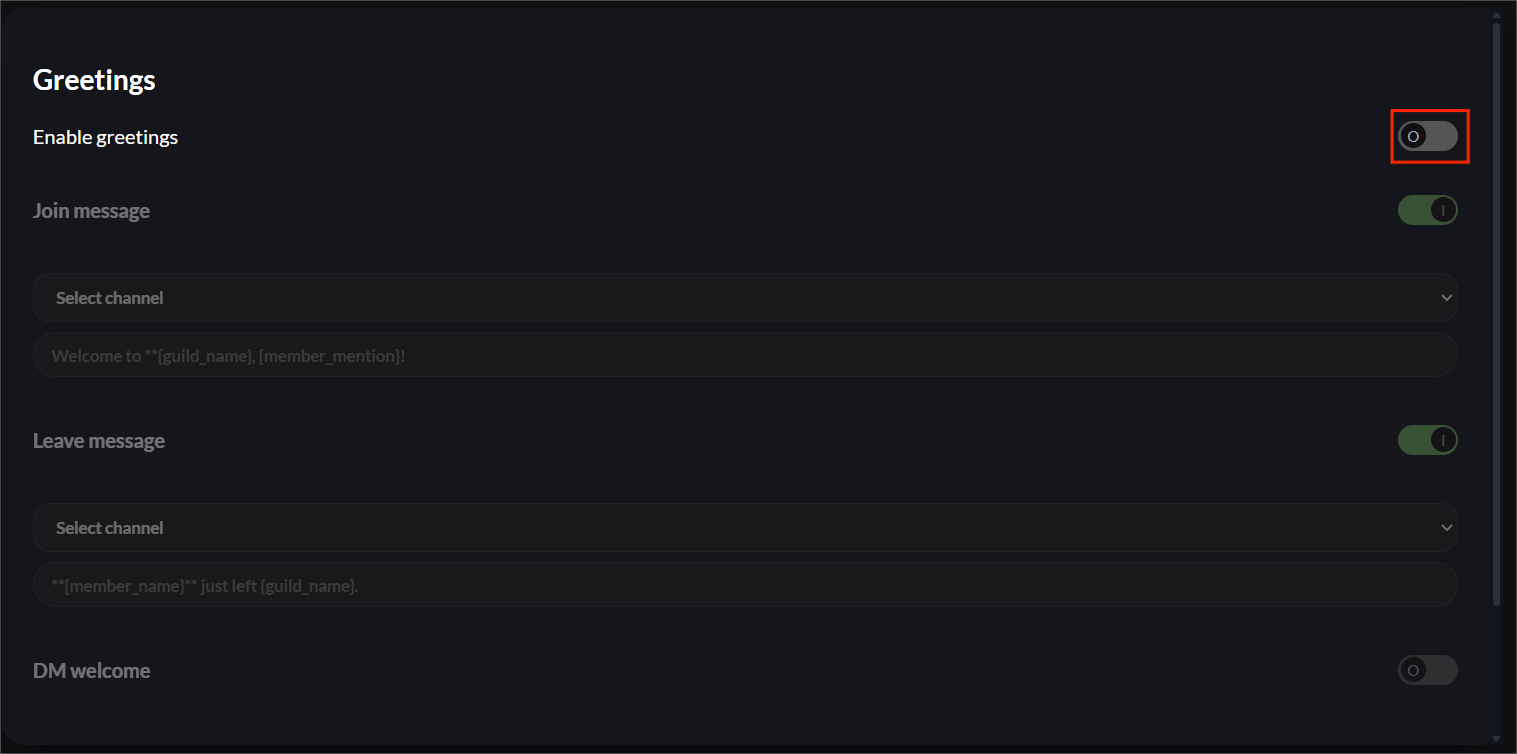
Start off by making sure the module is enabled. If the module is disabled, you won't be able to change anything.
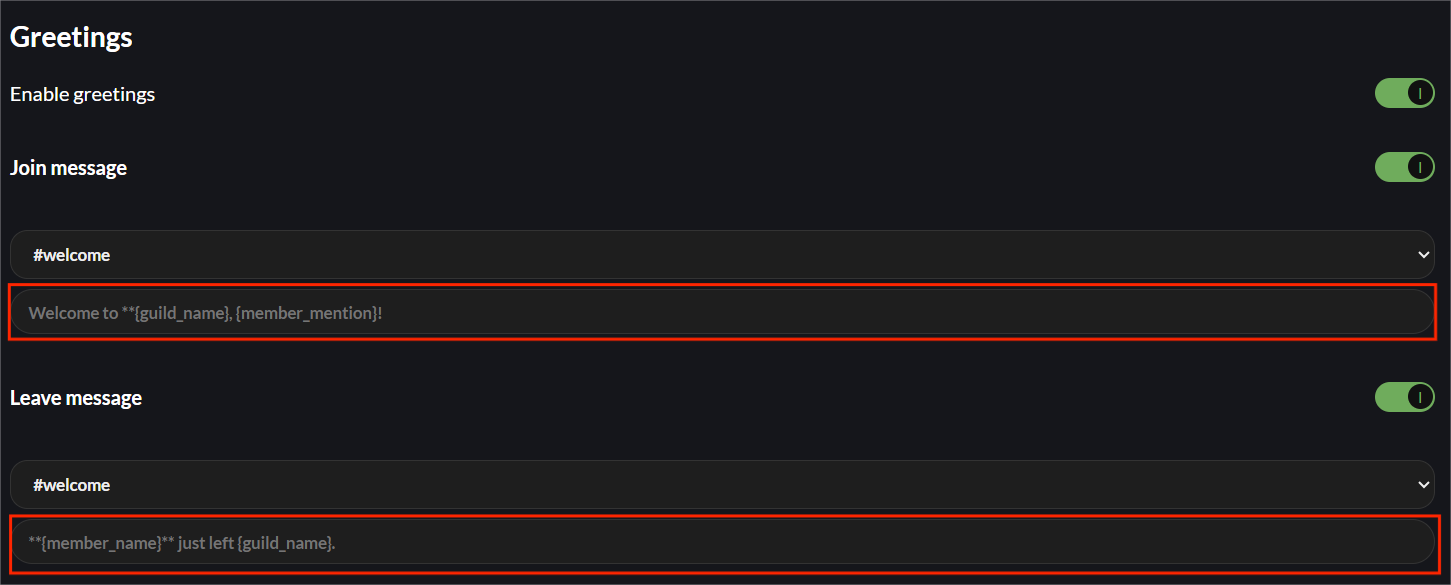
Setting a Custom Message / Welcome DM
To set a custom message or welcome DM, use the text boxes. If nothing is entered, the bot will use the default option. You can use formatting such as asterisks and underlines alongside placeholders to specify member info or server info.
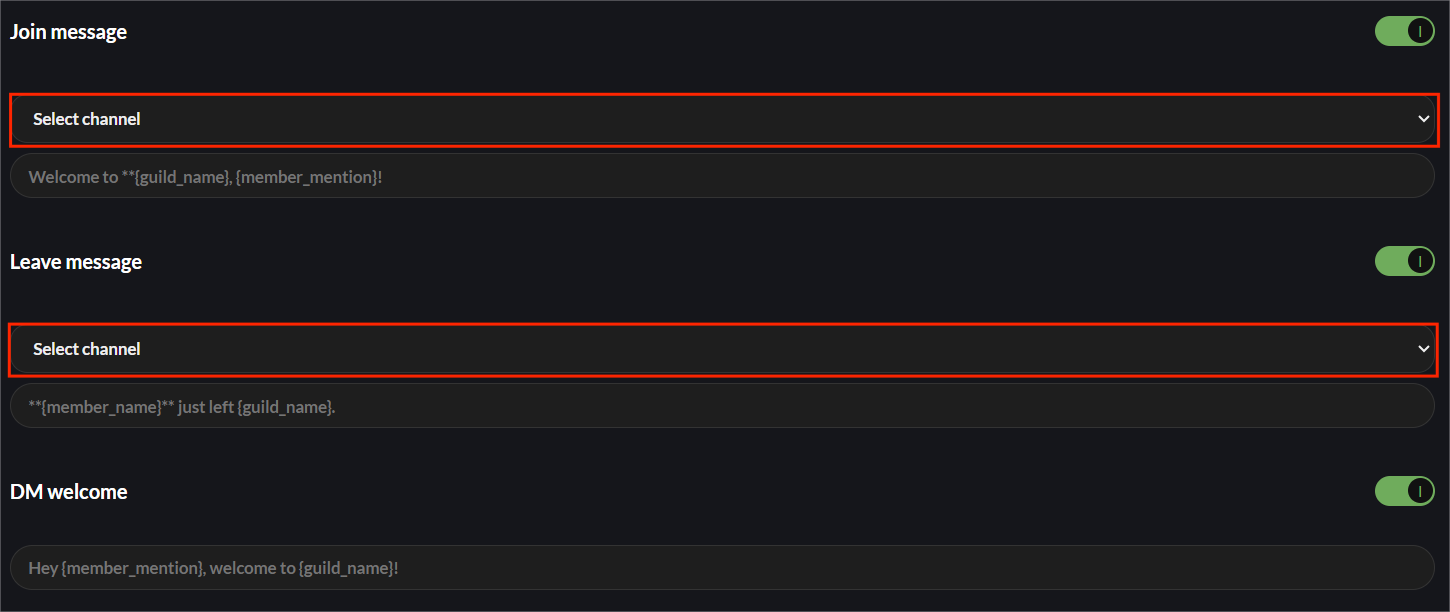
Choosing a Channel for Messages To Post In
Select a channel you would like join & leave messages to post into by using the channel selectors. No messages will be sent until you specify either the default channel or specific channels.
Setting a Custom Welcome DM
Set a custom welcome DM by using the textbox. Similar to the join and leave messages, if no message is specified, the default option will be used.

Configuring Autoroles
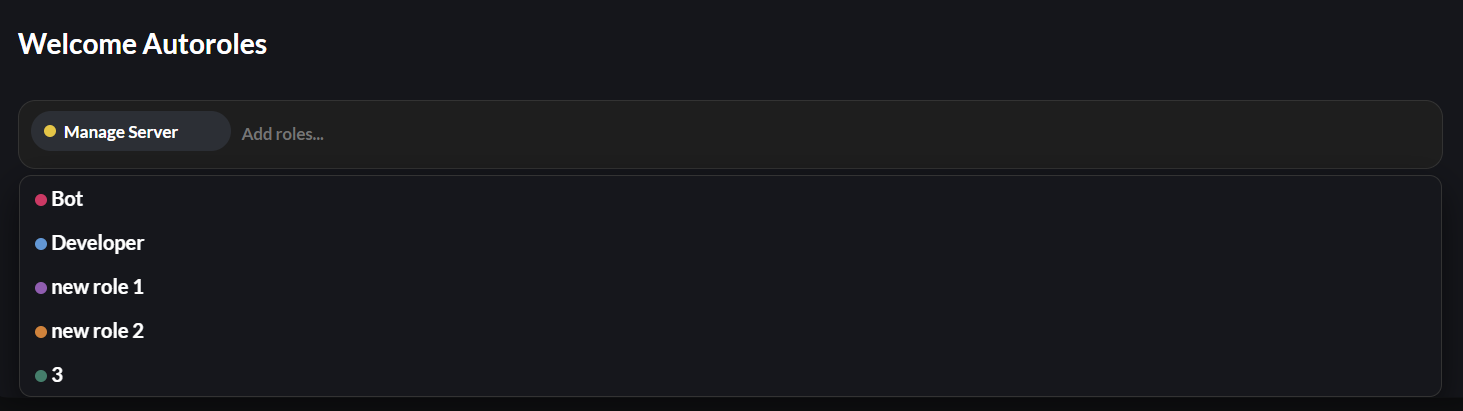
Having autoroles configured will give members role(s) automatically when they join the server. Configure these by selecting which roles you would like to assign from the dropdown menu. To remove an autorole, hover over the role and click the red X.

Server Logging
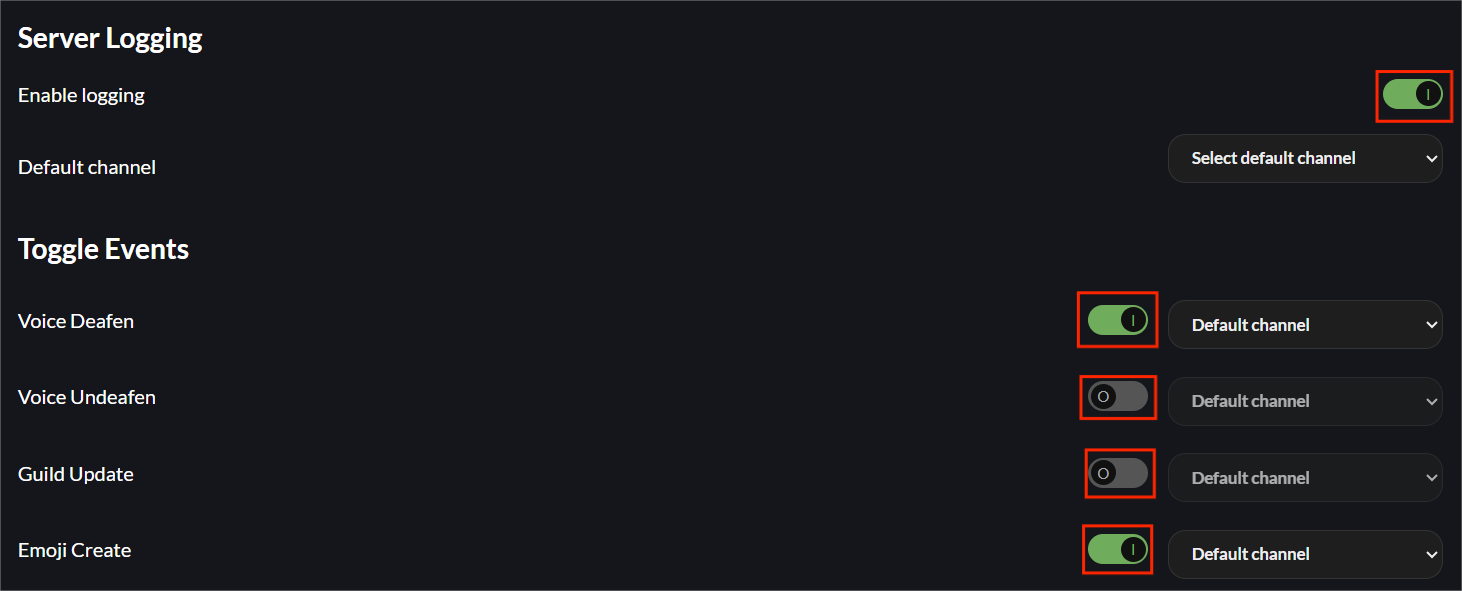
Enabling the module for the first time will create a new channel called #modzbott-logging unless you specify a default channel beforehand. Once the module is enabled, all events will be monitored and logged until disabled.
Toggling the Module / Individual Events
To toggle the entire module, use the toggle labelled "Enable Logging". If you wish to toggle specific logs, you can use the toggles in the list.
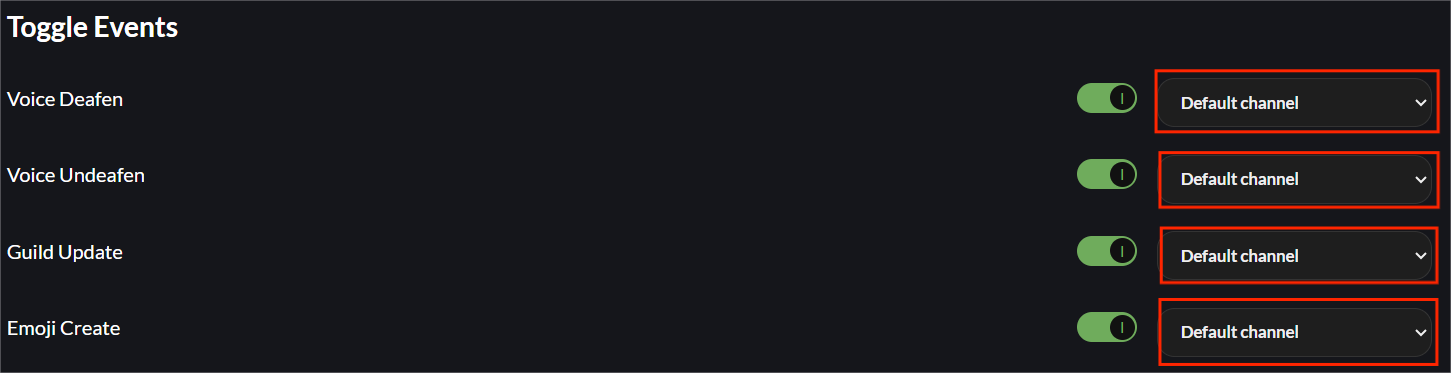
Setting Channels for Events
Similar to the join / leave messages, you can select channels for certain log types with the channel selectors.
Reaction Roles
Build embeds which can have reactions attached to them. When a user reacts, they will gain the role associated with the emoji. When they remove their reaction, they will lose the role again.
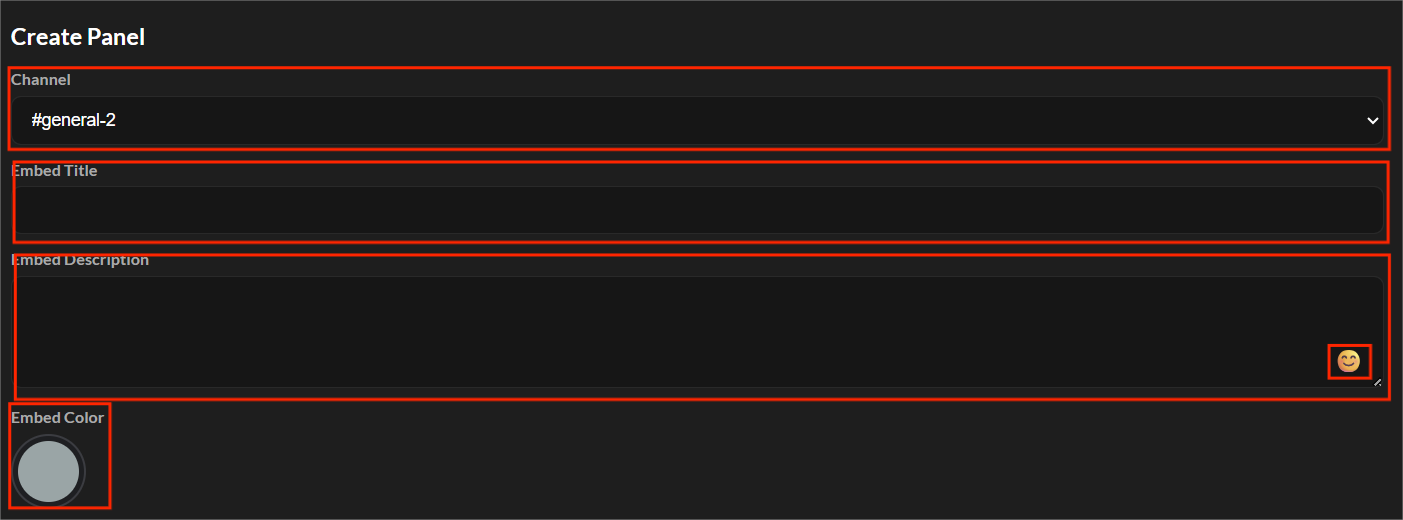
Creating a Reaction Role Panel
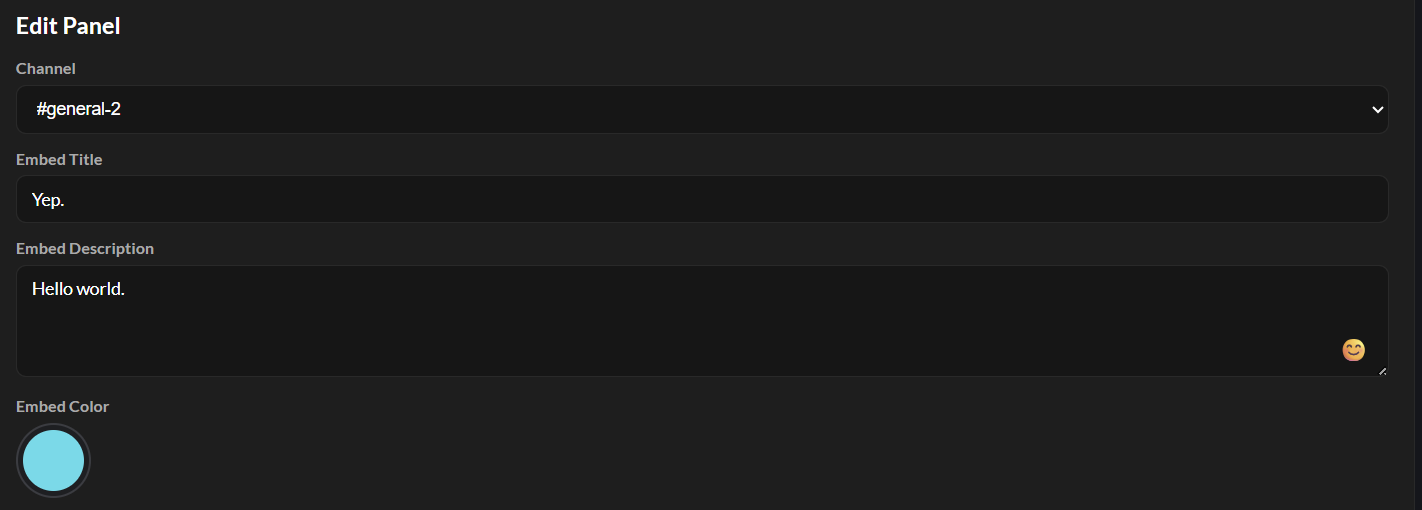
Click the "+ Create Panel" button and fill in the details in the popup. You can set the channel, color, title and description of the embed. Alongside using colons for emojis, there is also an emoji picker. Click the emoji in the corner of the text box to use it.
Once you have created your embed, give it a check over using the embed preview section at the bottom. When you are ready, click the "Save Panel" button and the bot will send the embed to the Discord channel.


Adding Reactions to an Embed
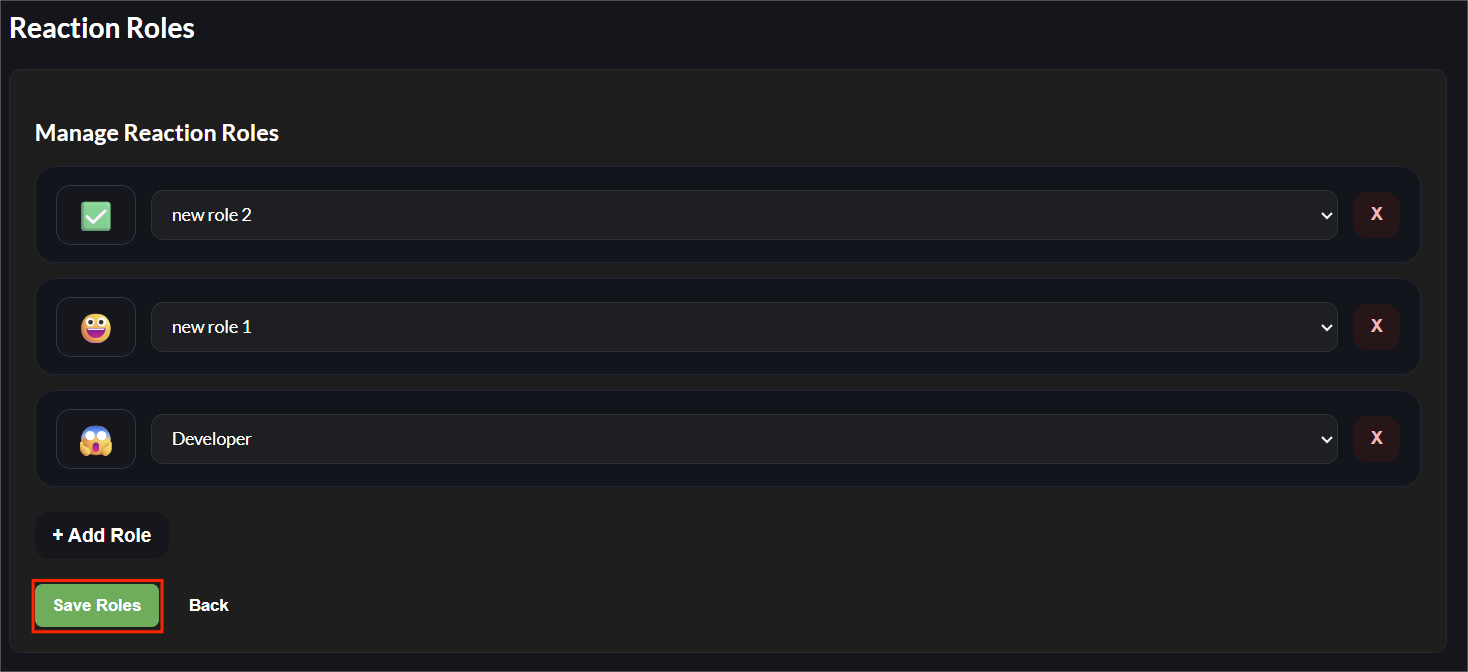
On the embed creation menu, you can add roles and assign emojis. Click the "Add Role" button and choose your preferences.

Editing an Embed
Editing an embed is very similar to creating an embed. Click "Edit" and make your changes. Once you click "Save Panel", the bot will automatically make the changes to the original embed. To edit roles, click the "Roles" button, make the changes you need and click "Save Roles". The bot will also automatically update the reactions.

Deleting an Embed
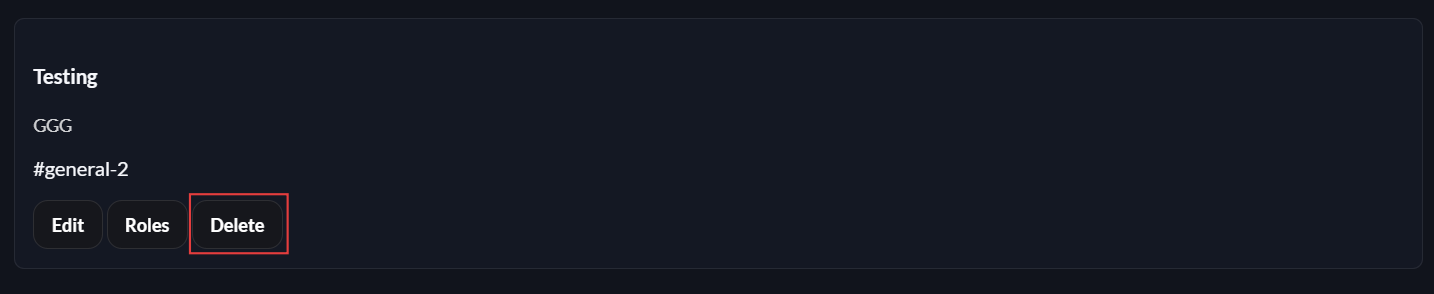
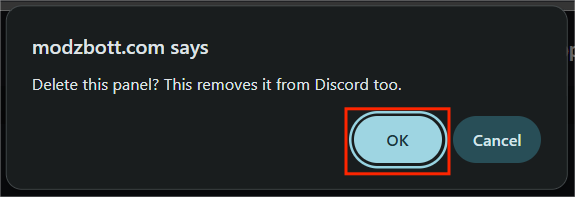
Click "Delete" to delete an embed. When you delete an embed, the bot will delete the embed from Discord too. Your browser will confirm whether you want to delete the panel, click "Ok".
AutoMod
Channel & Server Censoring
You have the option to censor words throughout the entire server, in specific channels and allow certain roles and channels to not be censored.
Toggling Censoring
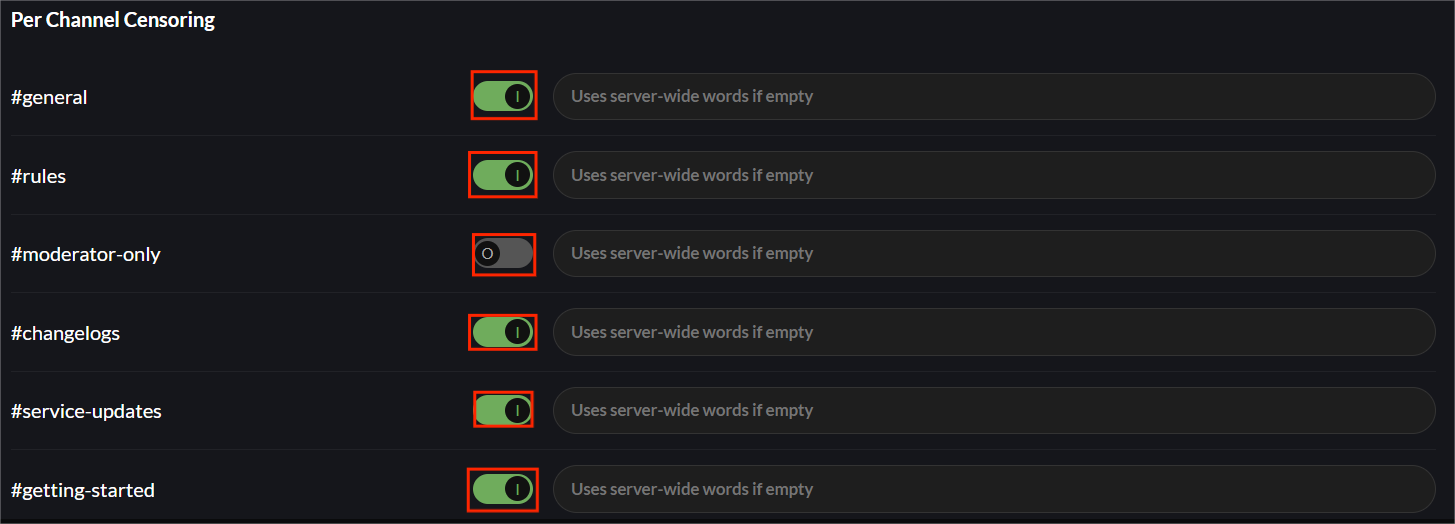
For toggling the censoring module, use the "Enable Censoring" toggle. When the module is enabled, you can then choose to toggle censoring for individual channels. To do this, use the toggles next to each channel.

Server Levelling
Server levelling is currently in development and will be available soon.
Custom Commands
Custom Commands are currently in development and will be available soon.
Embed Builder
Creating an Embed
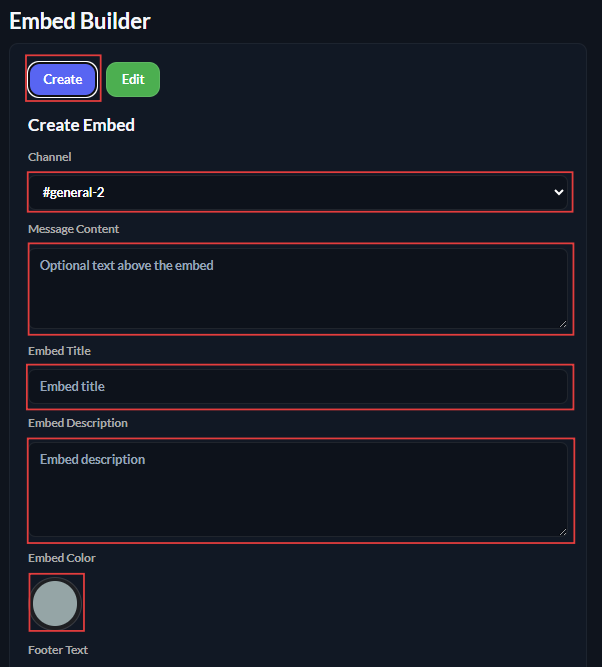
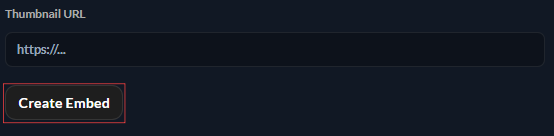
Make sure the create embed tab is selected (highlighted blue). From here, you will be able to configure all parts of the embed including the channel it is sent to, the message that appears above the embed, embed title, description, color, footer text, image URL, thumbnail URL. Once you are ready to send the embed, scroll to the bottom and click the "Create Embed" button.
Editing an Embed
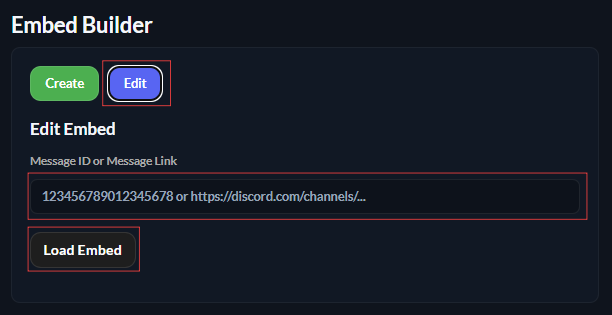
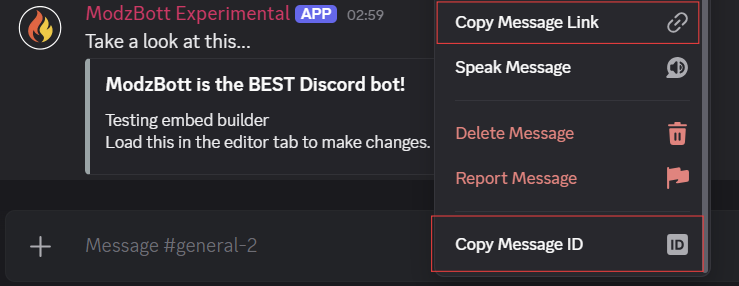
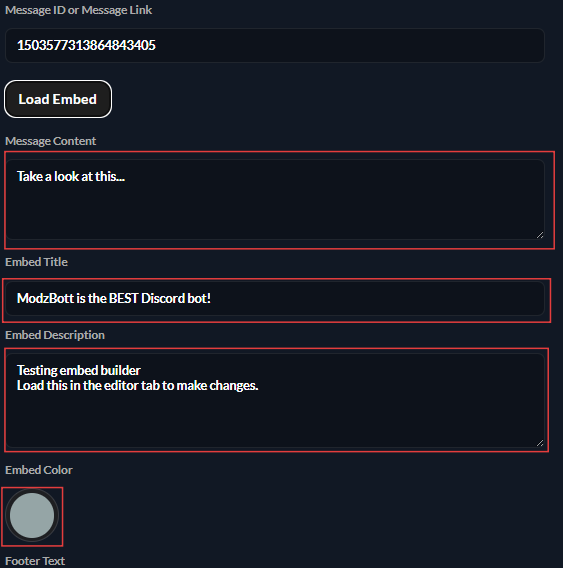
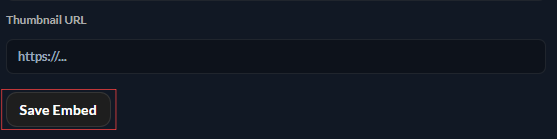
Make sure the edit tab is selected (highlighted in blue similar to the create tab). In order to load an embed, you will need to copy either the message ID or the message link. Do this by right clicking (press and hold on mobile) and selecting either option. Paste the ID / URL into the field and click "Load Embed". A menu will appear below, loaded with the embeds configuration. Once you have made the changes, scroll down and click "Save Embed". The embed will update accordingly in the Discord channel automatically.
Deleting an Embed
The dashboard does not offer a delete button, because Discord already offers this and the embed does not save to a database.
Command Toggling & Restricting
Toggling a Command
Toggling a command will enable or disable it for all users. Users who have administrator permissions will also be unable to use disabled commands. Use the toggle next to the command to disable it entirely.

Restricting a Command
Clicking the cog icon next to the command will open a menu where you can set which channels the command will work in and which roles are allowed. When you set channel(s), the command will only work in those channels. When you set a role, only users with that role can use the command.
Click "Add Channel" to add a channel for the command to work in. You can add as many channels as you like. Click remove to remove a channel. When you add channel(s), the command will work only in those channel(s).

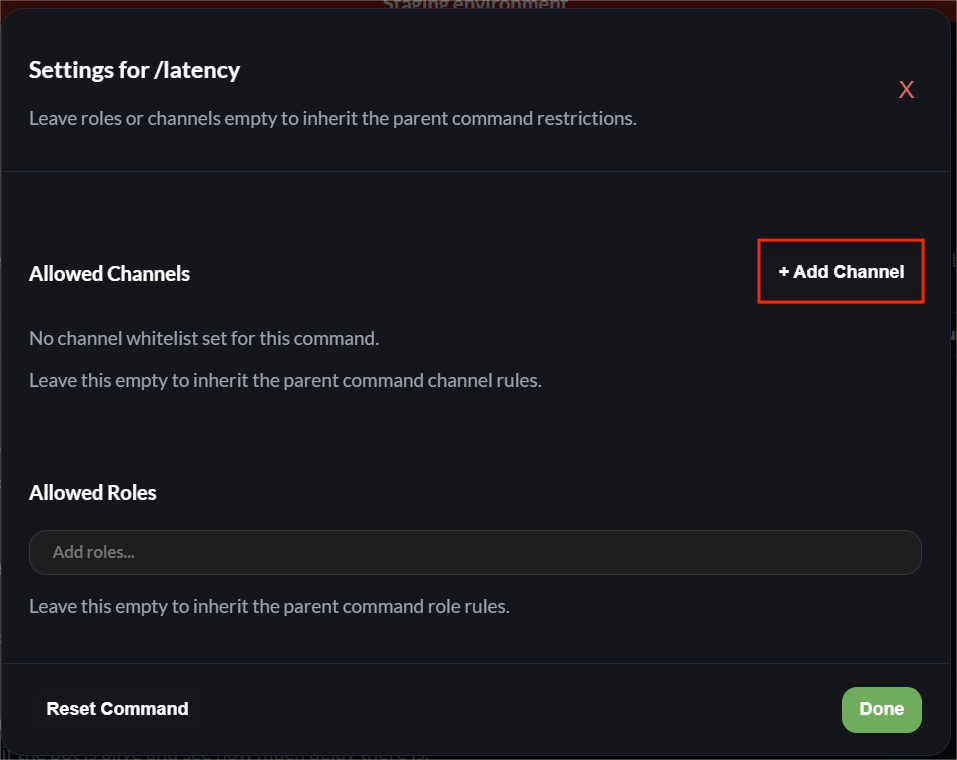
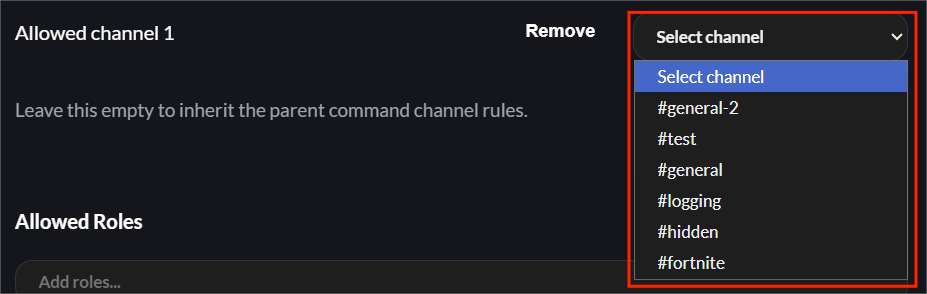
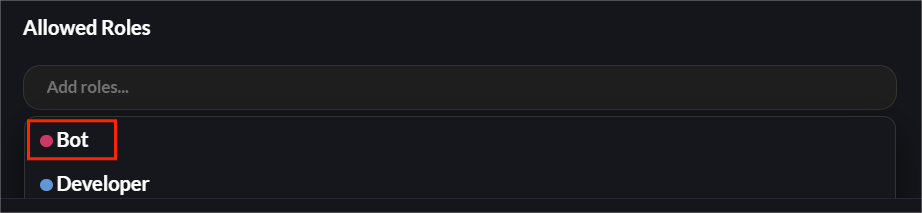
To add role(s), click "Add roles..." and select which roles you want to allow command usage. To remove a role, hover or click on the role, and click the X that appears.